VMU Battery Life
Published July 10th, 2026 by radicalhiway
The VMU's battery life is terrible.
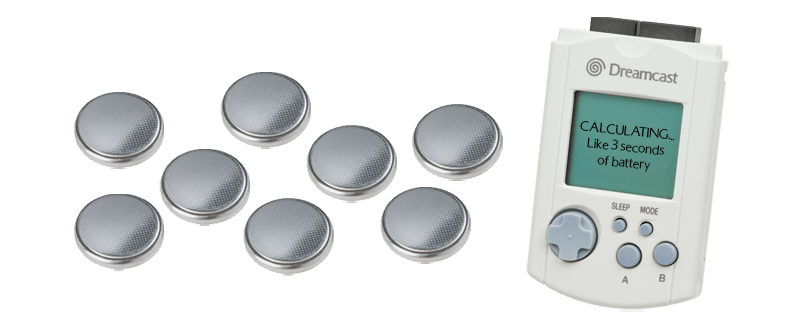
If you've ever put batteries in one before, you will very quickly find out that the Dreamcast's VMU somehow goes through two CR2032s within a couple days to a week if you're lucky.
Theres a couple reasons behind that, and hopefully this document will help you extend the lifespan of your batteries!
Why does the VMU take so much power?
The VMU eats batteries due to a few design 'flaws' of the system. For one, it has no real power-off mode. The chip used for VMUs (Sanyo LC8670) is a very simple cpu, so simple that it was named "The Potato" from the developing team. However, this chip was so simple that SEGA's developers had to accommodate for its limited usablity while designing the functions of the VMU; The most glaring of which being its sleep/idle mode.
When the VMU is in sleep/idle, the CPU will continually drain power from the batteries to continue its clock functions and to ready itself for user input to exit sleep mode. This is unlike chips today that can aggressively stop the use of power altogether when in sleep mode. This waste of power wouldn't be too significant if it wasn't for the type of batteries used for the VMU; CR2032s are not strong enough batteries for keeping track of time, LCD display, AND user inputs for an extended amount of time. For instance, these batteries are typically only used for car keys and garage door openers due to their limited power capacity. Not only were these batteries not fit to power such a device, but they were also wired in series, which meant that the two 3v batteries would end up powering 6v of power, but this resulted in only having the power capacity of a single CR2032 (240 mAh) while using two at the same time. To show how little this is to today's standards, the iPhone 16 that released in 2025 has a battery capacity of 3,692 mAh, a capacity ~15.4 TIMES the VMU.
Additionally, a common user mistake of leaving the VMU plugged into a controller slot while the console is off will eat the battery expeditiously. This is because while plugged into the controller while the console is off, the controller will begin bleeding power from the batteries from the VMU. This is because while the console is on, it will send a 5v stream of power to the controller/VMU, powering it and bypassing the need of the batteries in the VMU. However, when the console is off, the power to the VMU stops as well. When the power stops, if perfectly designed, the controller port would cut connection to the VMU, however what really happens is that the VMU's continuous use of battery due to its internal clock will cause some of its voltage to leak into the controller's connection pins, and into the controller's circuitry. This design flaw will take days off of your VMU's battery life in a matter of hours if you accidentally leave it inside of the controller.
How should I get the most out of my VMU?
There's a few methods to extending the battery life of your VMU. The first thing that every one should do is remove the VMU from the controller after gameplay due to the bleeding power issue discussed above. After that, there's a couple choices to choose from:
Choice #2:
Battery Pull Tabs/Removing Batteries
Choice #3:
Rechargable VMU Modifications (Guide)
At the end of the day, chances are you don't use your VMU often enough to justify these solutions. CR2032s are relatively cheap, and even without batteries inserted the VMU will still hold all of your game data and have a working display while plugged into an active controller, but if you ever wondered why the VMU's battery life was so short, or if you are a really big fan of Chao Adventure, I hope this helped!
Return home?